The editor every site here was built in
Self-Managed gives you the whole editor: type, color, layout, ready-made sections, the phone view, preview links and a history you can go back through. These are captures of it, editing Tattoos by Lala.
Try Self-Managed free for 14 days. No free plan.

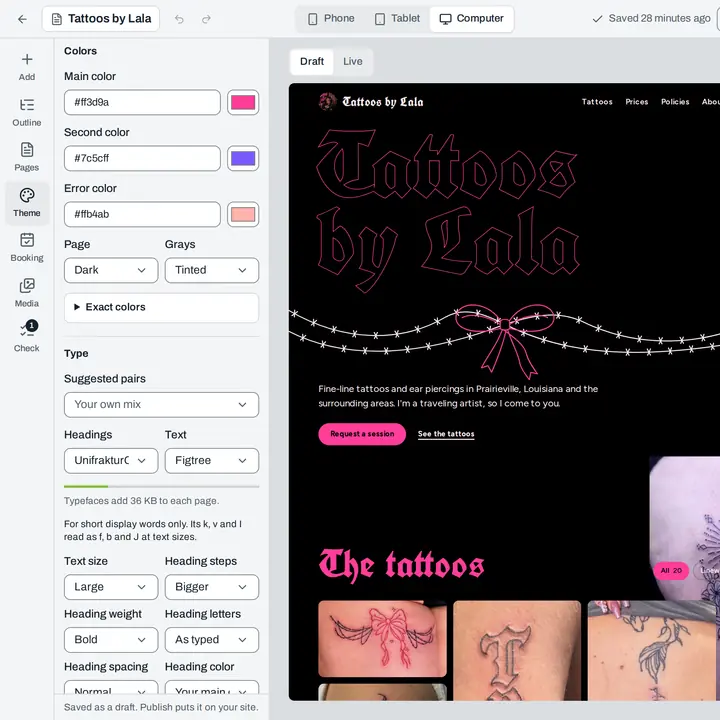
The Theme panel: 6 palettes for every template, or your own exact colors, checked for contrast as you go.
Type
Any of our typefaces, in any pair you like
Pick headings and text from all 57 families, or start from a suggested pair. The bar under the pickers says what your faces add to every page, so a phone still gets the words quickly.
Restyle
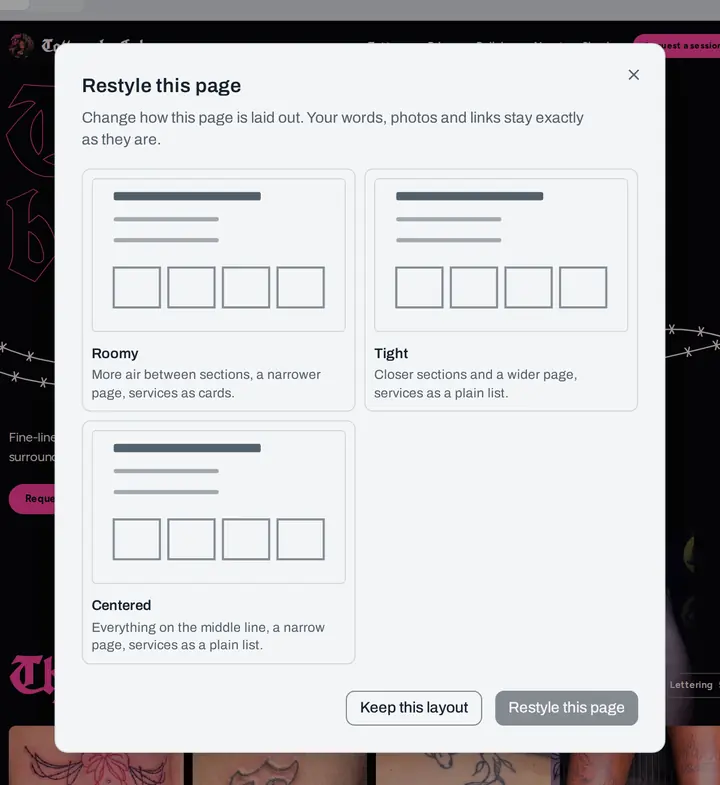
3 more layouts for every page, one click each
Restyle lays the same page out another way: roomier, tighter, centered. Your words, photos and links stay exactly as they are, and Keep this layout puts it back.
Sections
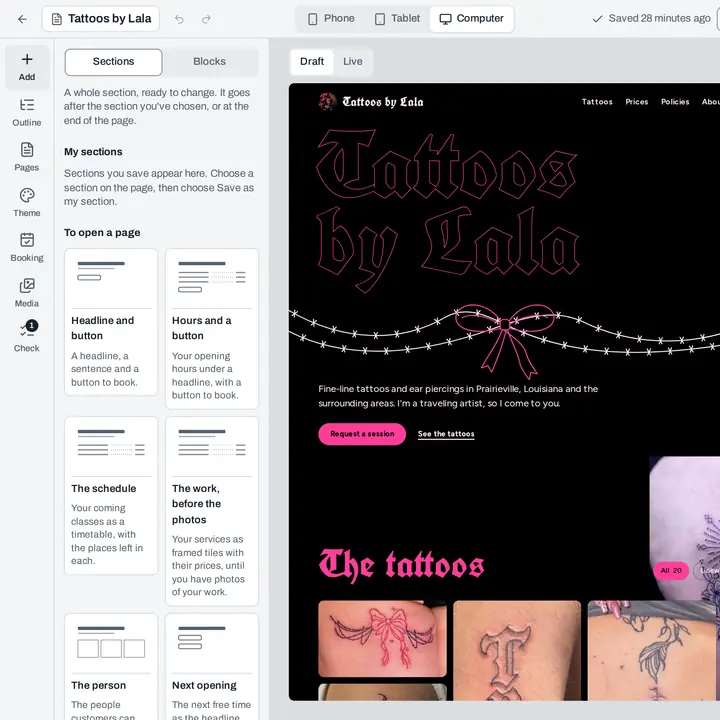
40 ready-made sections to drop in
A headline and a button, your hours, the week's classes, the team, questions people ask. Each one goes in after the section you chose, already reading your services and hours.
Phone
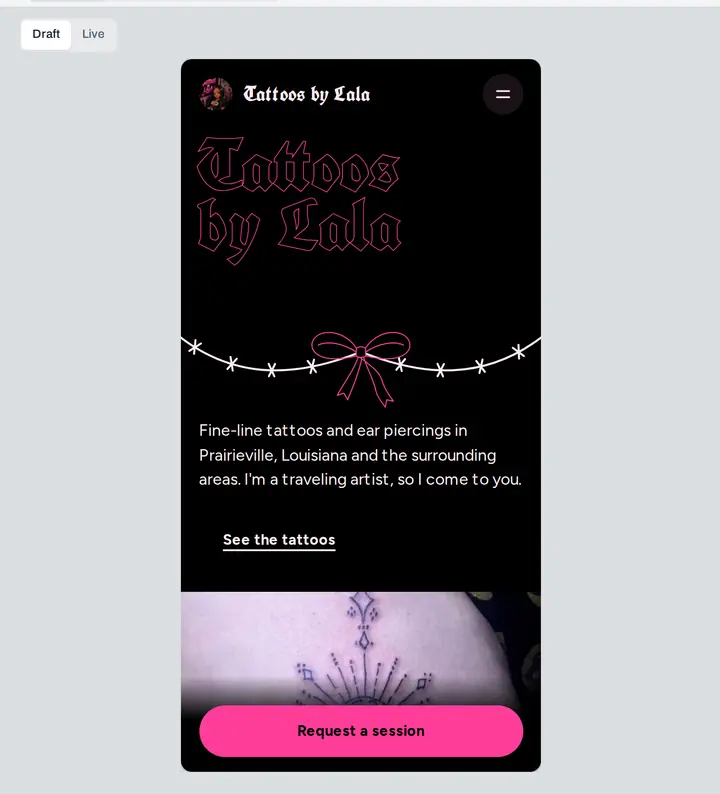
See it the way most customers will
Switch the canvas to a phone and edit there. Give a heading its own size on phones, or show a section on phones only, and the computer view stays as it was.
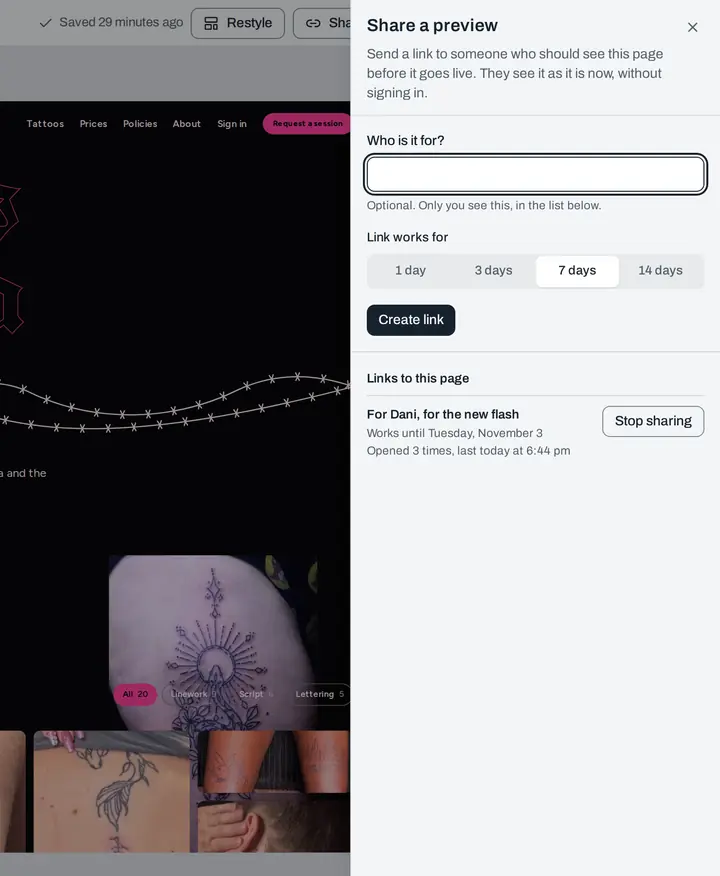
Share a preview
Send a link before anything goes live
Make a link that works for a day or two weeks, say who it's for, and see how often it was opened. Stop sharing whenever you like.
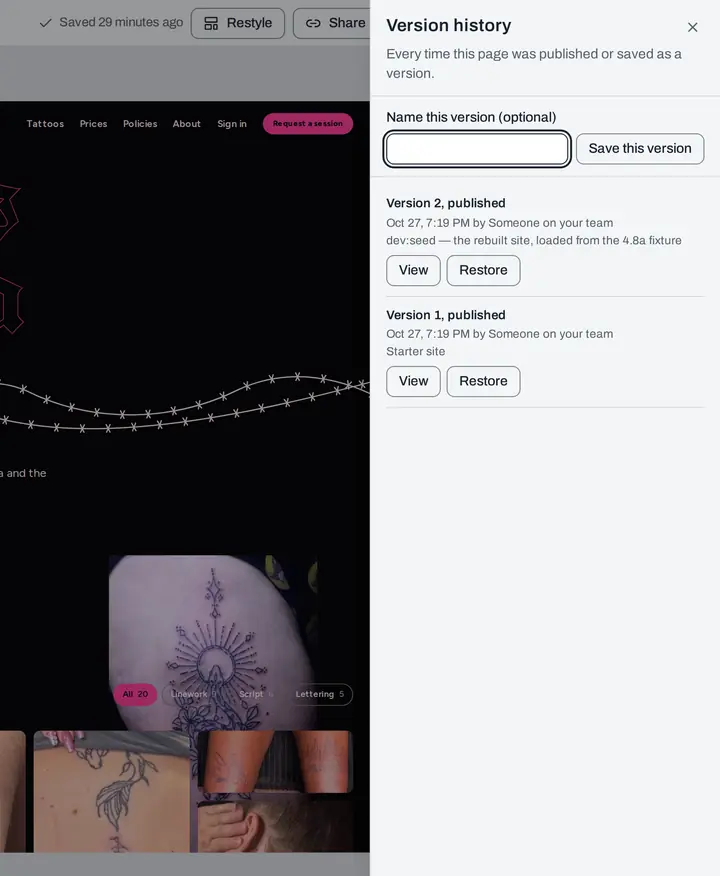
Version history
Every version kept, and any of them back in one click
Each publish is saved. Name the ones that matter, look at any of them, and restore it if a change didn't work out.


And the parts that make it a business site
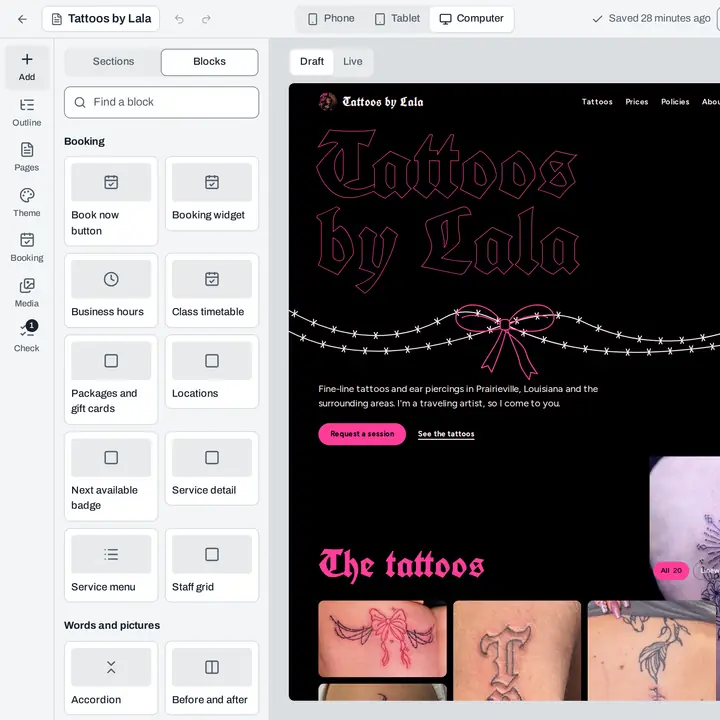
Booking blocks
Put the service menu, a booking widget, the next opening or the class timetable on any page. They read your catalog and your calendar, so they're never out of date.
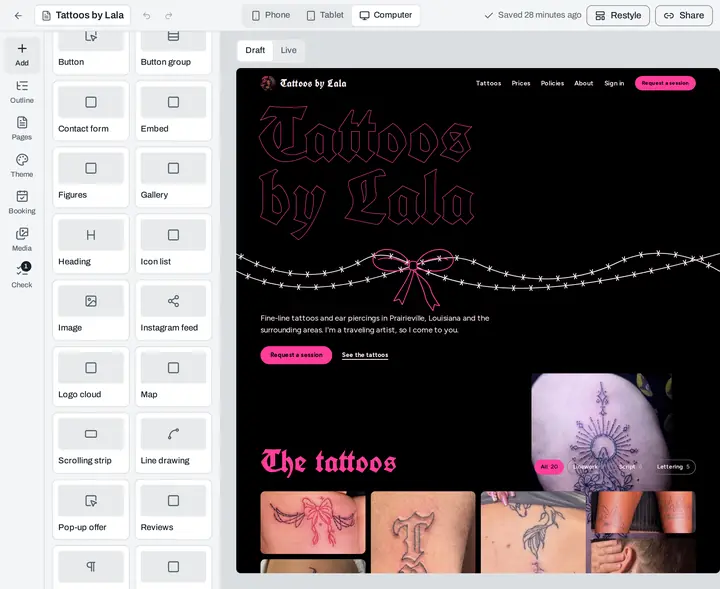
Instagram and Google reviews
Connect Instagram and your newest posts show in a strip on any page. Connect Google and your rating and a few of your Google reviews show beside the reviews customers leave here.
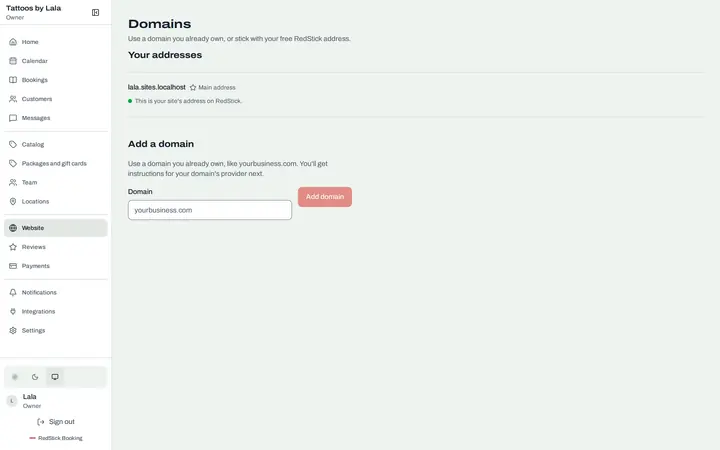
Your own domain
Start on a free RedStick address, then add a domain you already own and get instructions for your domain's provider. It works during the free trial too.
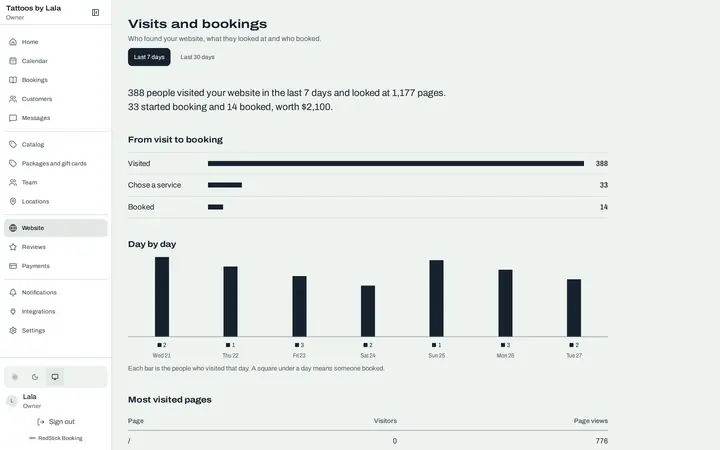
Visits and bookings
Who found the site, what they looked at, and how many booked, day by day, on every plan.
The visits shown are sample numbers.


Your site, your changes, the same day
Try Self-Managed free for 14 days. No free plan.